

Password Dialog
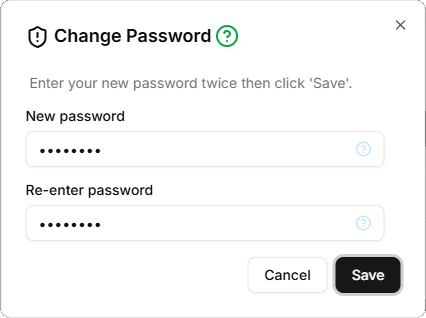
The 'Password' dialog allows you to change your password. It has two fields:
- New password
- The new password (required). Must be at least eight characters long and contain an uppercase letter, a lowercase letter, a digit and a special symbol (!"£$%^&*()_-+= etc.")
- Re-enter password
- Must match 'New password' (required)
There are two command buttons:
- Cancel
- Discards pending changes and closes the dialog
- Save
- Updates your password in the database and closes the dialog