

Dashboard Page
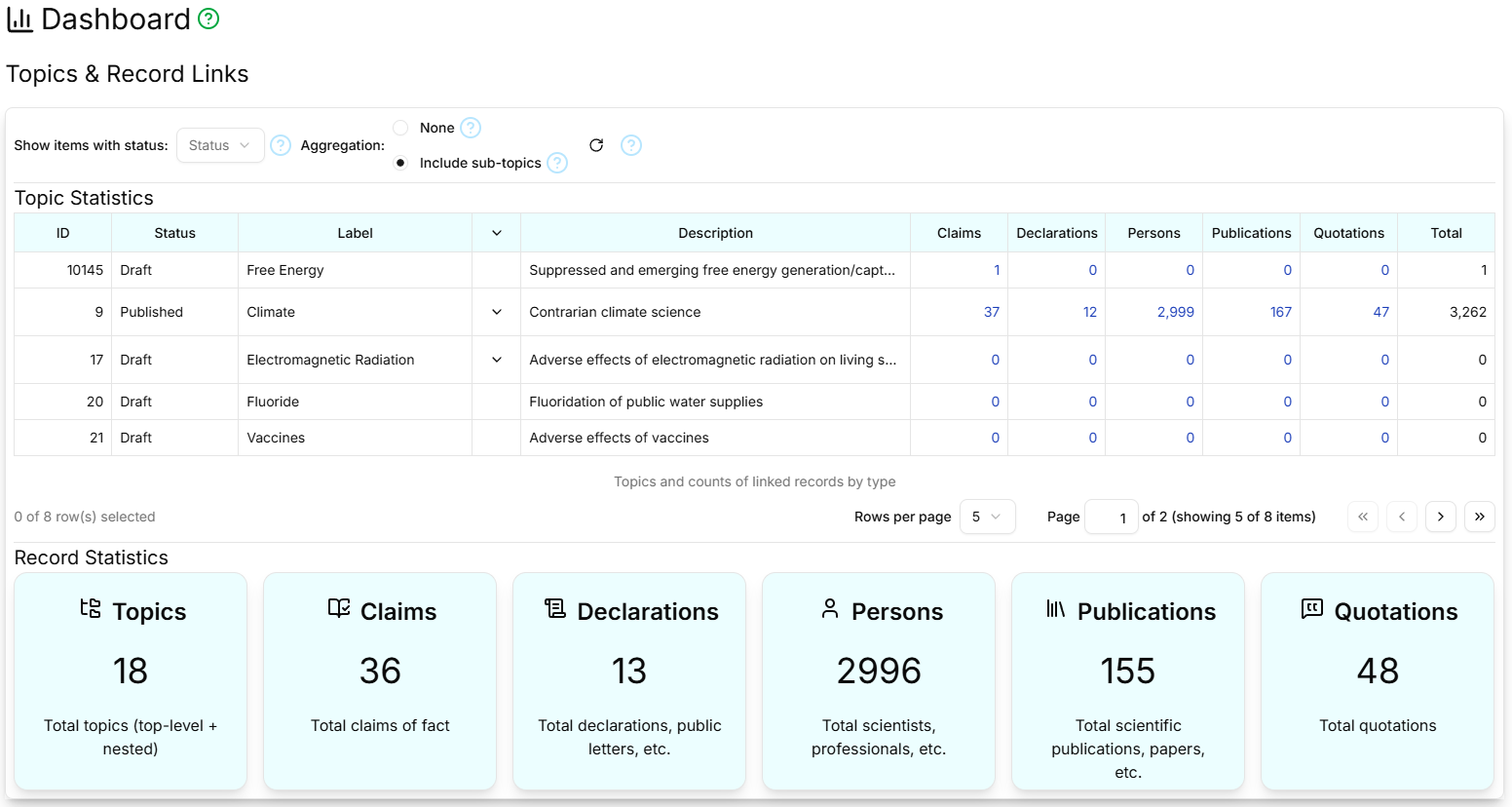
The Dashboard page displays detailed statistics on the overall state of the database. It has two sections:
Topic & Record Links
The top section takes the form of a table containing all the Topics, with columns to show the number of Claims, Declarations, Persons, Publications and Quotations linked to that Topic, and the total count of records linked to the Topic. Clicking the number in any of these 'count' cells takes you to the appropriate page, with a filter configured to display the matching records linked to the Topic in the clicked row. For authenticated users, the table can be filtered to show just Topics and linked records with a particular status. All users can switch between a flat Topic display and a hierarchical Topic display, where sub-Topics appear as child rows, recursively. There is also a refresh button to retrieve the latest statistics from the database.
Record Statistics
The bottom section is a series of large buttons showing the total number of Topics, Claims, Declarations, Persons, Publications and Quotations. Clicking a button takes you to the corresponding page where these records can be viewed in detail.