Comments Page
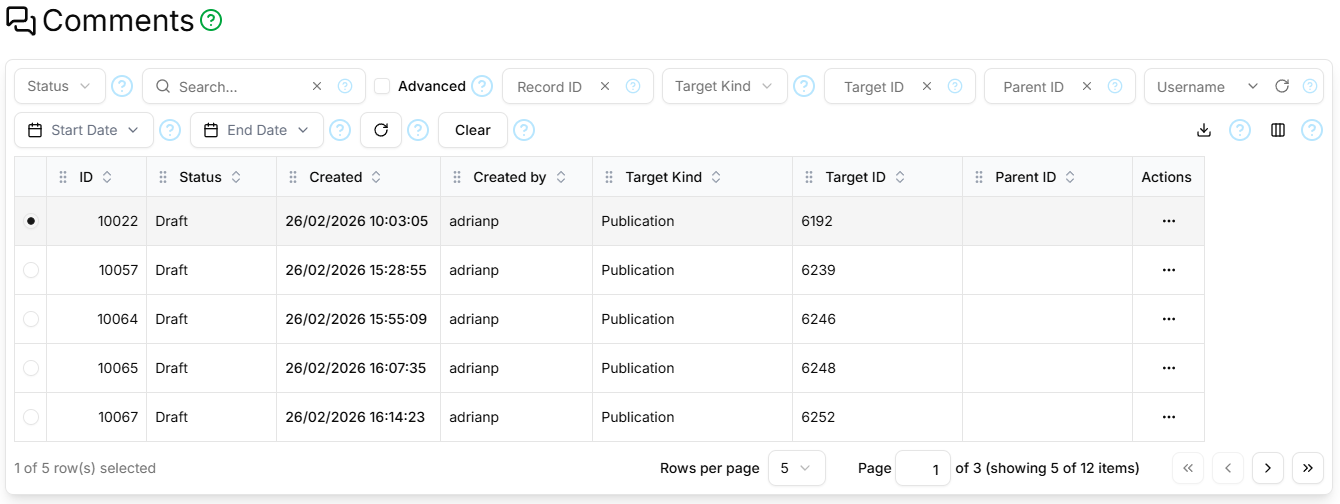
The Comments page contains a paginated, filterable, sortable table showing all comments for all records.
Filter Section
The filter section contains the standard Status, Search, Advanced, Record ID, Refresh and Clear controls as described here, and additionally:
- Target Kind
- Only comments pertaining to this type of record will be displayed.
- Target ID
- Only comments pertaining to the record with this identifier will be displayed.
- Parent ID
- Only comments which are replies to the comment with this identifier will be displayed.
- Username
- Only comments posted by the User with this username will be displayed.
- Start Date
- Only comments created or updated on or after this date will be displayed.
- End Date
- Only comments created or updated on or before this date will be displayed.
Columns
The Comments Page table supports the standard columns as described here, and additionally:
| Field | Type | Visible by Default | Description |
|---|---|---|---|
| Target Kind | String | Yes | The kind of record to which the comment pertains |
| Target ID | Digits | Yes | The identifier of the record to which the comment pertains |
| Parent ID | Digits | Yes | The identifier of the comment to which this comment is a reply |
Paginator
The Comments Page table is paginated, as described here.
Details Section
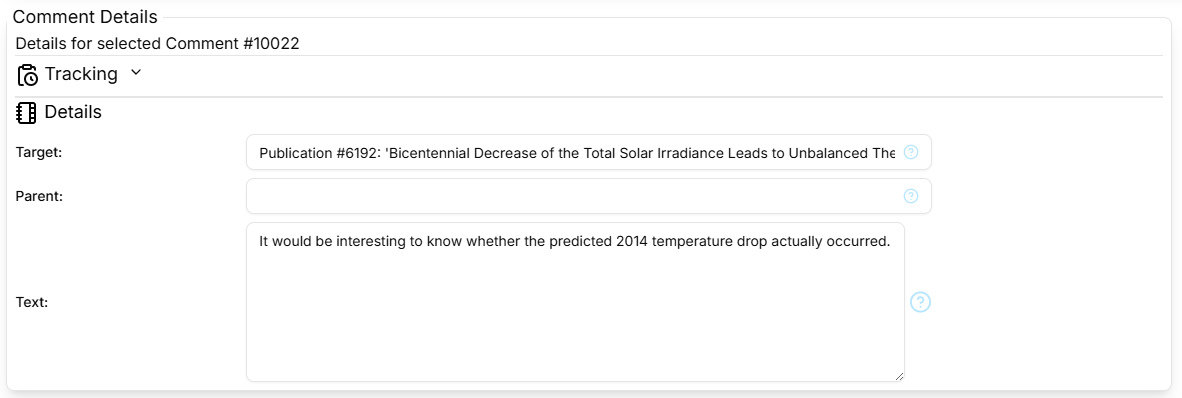
The Details section contains the standard Tracking part as described here, and the comment details part shows:
- Target
- Shows the target record type, identifier and text.
- Parent
- Shows the record type, identifier and text of the comment to which this is a reply.
- Text
- The body text of the comment.
Comments Dialog
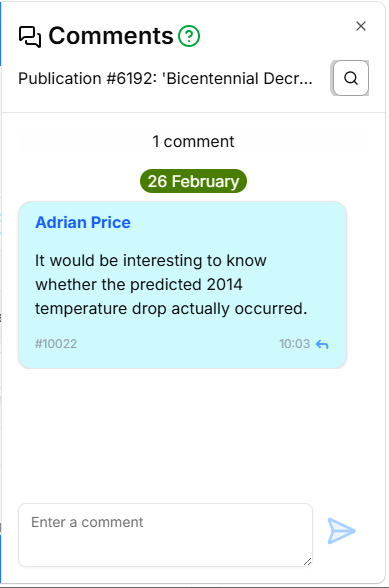
The Comments dialog contains a scrollable, filterable list that appears on the right-hand edge of the browser window and shows all comments for a specific record. It is semi-modal and can be left open while interacting with the underlying page.
Filter Section
The filter section is toggled by the icon and contains the standard Search, Advanced, Status, Refresh and Clear controls as described here, and in addition the Username, Start Date and End Date controls as described above.
Comments Section
The scrollable comments section shows all the comments represented as coloured rectangles. Each comment rectangle contains the comment text, the comment identifier and the time it was posted. There are also date stamps to group comments by date. There is a reply icon that allows you to reply to that comment. The comment rectangle representing a reply includes the first few words of the original comment together with the name of the user who posted the original comment. Comments that you have posted remain editable for 48 hours following creation.
Comment Editor
The comment editor at the bottom is a text area with a Send button to post or update the comment. Needless to say, you can only edit your own comments.