

Log Page
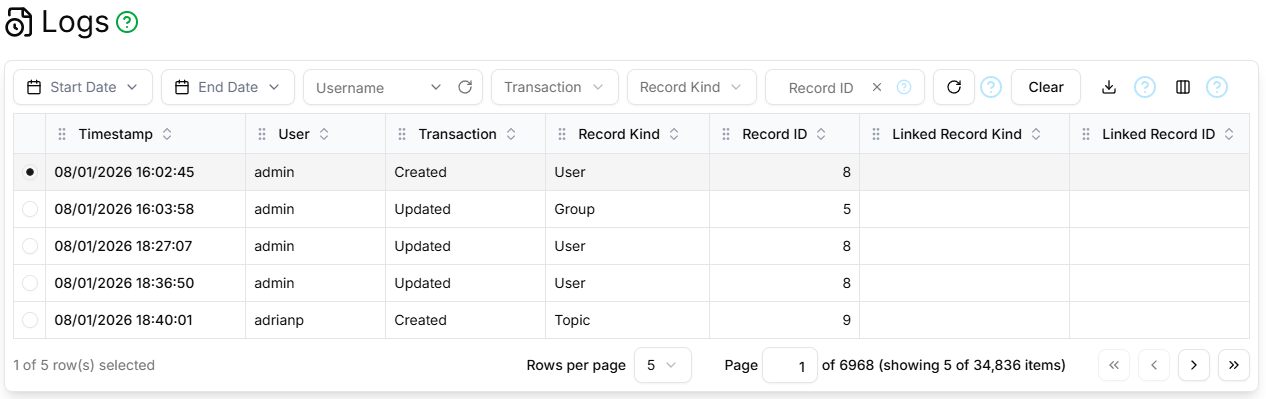
The Log page contains a paginated, filterable, sortable, customisable table showing all log entries for all records.
Filter Section
The filter section contains the standard Refresh, Clear and Column Selector controls as described here, and additionally:
- Start Date
- Only log entries with a Timestamp on or after this date will be displayed.
- End Date
- Only log entries with a Timestamp or before this date will be displayed.
- Username
- Only log entries triggered by the User with this username will be displayed.
- Record Kind
- Only log entries pertaining to this type of record will be displayed.
- Record ID
- Only log entries pertaining to the record with this identifier will be displayed.
Columns
The Log Page table supports the following columns:
| Field | Type | Visible by Default | Description |
|---|---|---|---|
| ID | Digits | No | The unique identifier of the log entry |
| Timestamp | Date/time | Yes | The date/time at which the log entry was made |
| User | Username | Yes | The user who triggered the log entry |
| Record Kind | String | Yes | The kind of record to which the log entry pertains |
| Record ID | Digits | Yes | The identifier of the record to which the log entry pertains |
| Linked Record Kind | String | Yes | The kind of the other record linked/unlinked |
| Linked Record ID | Digits | Yes | The identifier of the other record linked/unlinked |
Paginator
The Log Page table is paginated, as described here.
Details Section
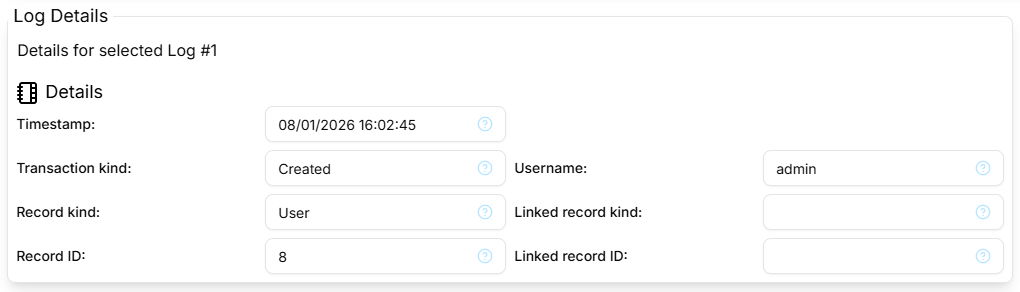
The Details section shows the following fields: Timestamp, Transaction Kind, Username, Record Kind, Record ID, Linked Record Kind, Linked Record ID.
Log Dialog
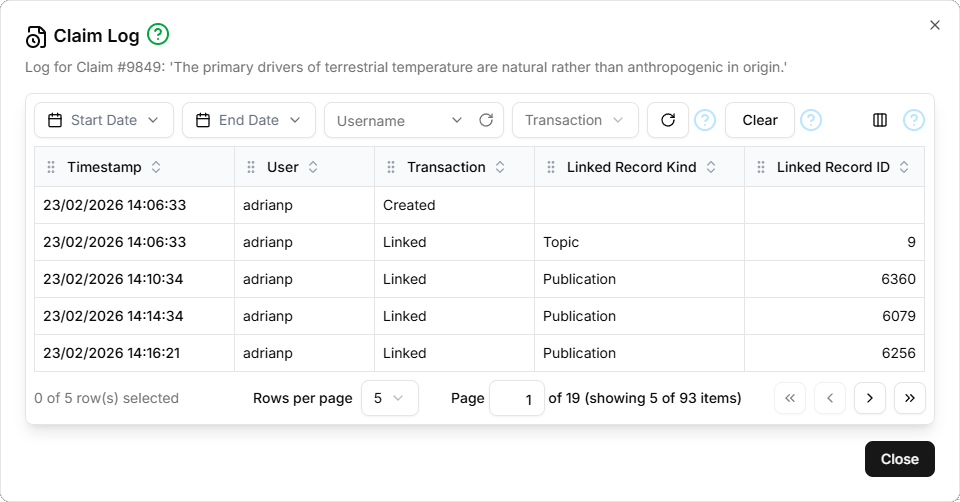
The Log dialog contains a paginated, filterable, sortable, customisable table that shows all log entries for a specific record. There is no details section.
Filter Section
The filter section contains the standard Refresh, Clear and Column Selector controls as described here, and in addition the Start Date, End Date, Username, Transaction Kind controls as described above.
Columns
The Log Dialog table supports the following columns: Timestamp, User, Transaction, Linked Record Kind, Linked Record ID, as described in Columns above.
Paginator
The Log Dialog table is paginated, as described here.