


Claims Page
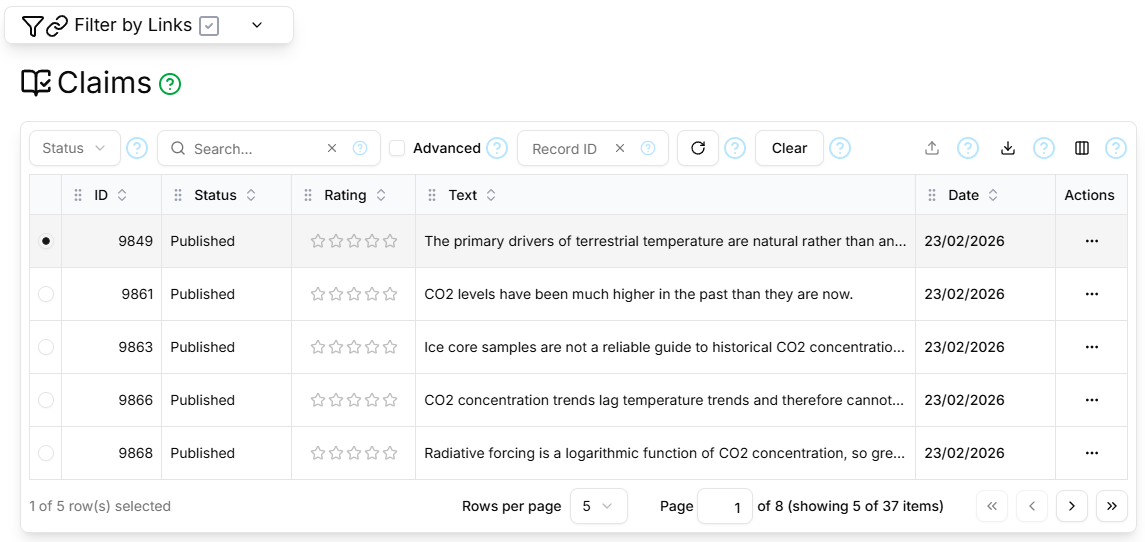
The Claims page contains a paginated, filterable, sortable table showing all Claims.
Filter Sections
The filter section at the top of the page is the standard Topic and Master Record filter as described here.
The table filter section contains the standard Status, Search, Advanced, Record ID, Refresh and Clear controls as described here.
Columns
The Claims Page table supports the standard ID, Status, Rating, Created, Created By, Updated, Updated By columns as described here, and additionally:
| Field | Type | Visible by Default | Description |
|---|---|---|---|
| Date | Date | Yes | The date on which the Claim was made |
| Text | Text | No | A textual statement of the Claim |
| Notes | Text | No | Notes about the Claim |
Paginator
The Claims Page table is paginated, as described here.
Details Section
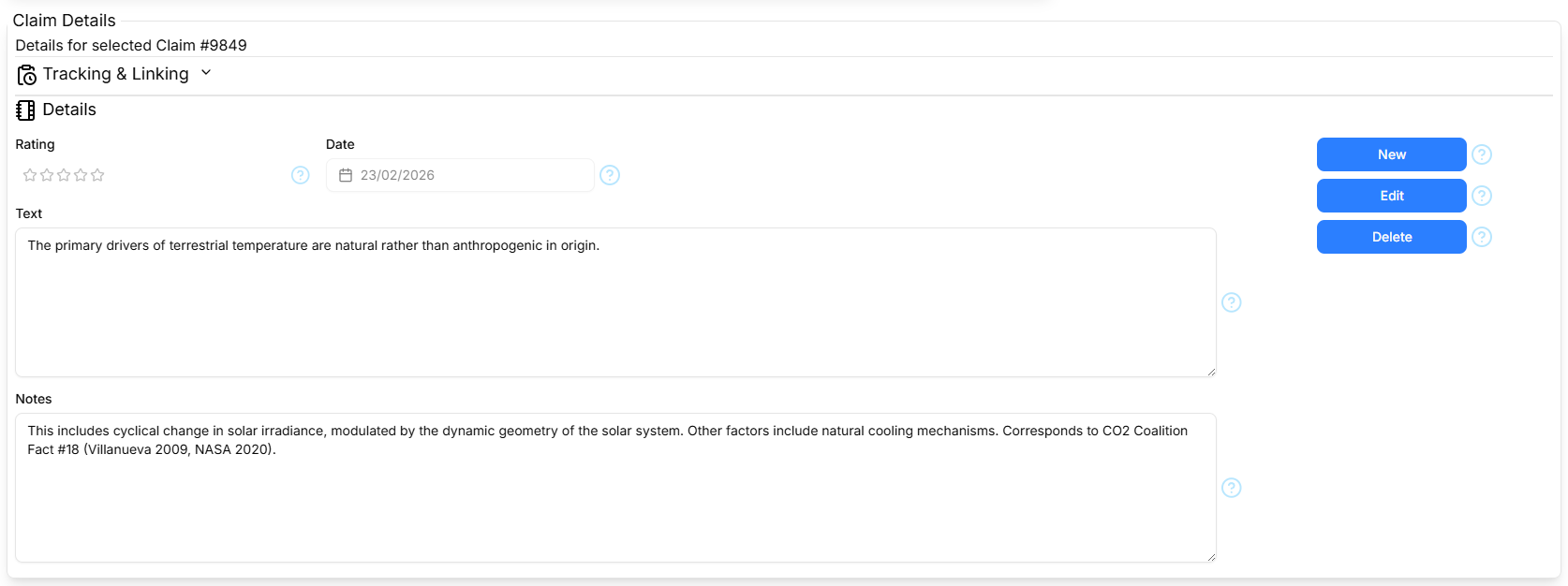
The Details section contains the standard Tracking and Linking parts as described here, and the Claim Details form shows the following fields: Rating, Date, Text, Notes as described in Columns above.
The Details section contains the standard New/Cancel, Edit/Save and Delete command buttons as described here.