


Master Filter Section
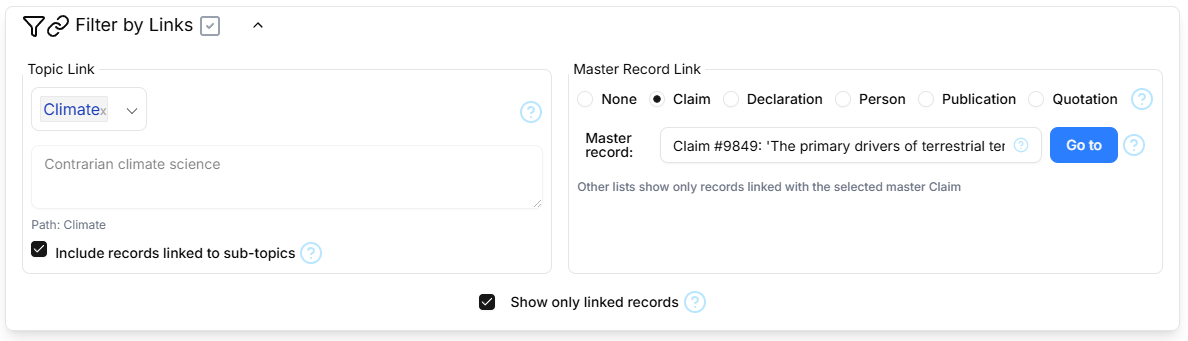
Pages for linkable record types (Claims, Declarations,Persons, Publications and Quotations) include a collapsible section that provides the ability to filter all linkable record tables in two ways.
Topic Link
The Topic Link filter allows you to select a Topic of interest, so that lists of linkable records only include only those records which are linked with the selected Topic. If the 'Include records linked to sub-topics' checkbox is ticked, the list will also include records which are linked to any sub-topics of the selected topic, at any nesting depth.
Master Record Link
The Master Record Link filter allows you to specify a record type of interest, so that when a record of that type is selected on the corresponding page, other lists of linkable records include only those records which are linked with the selected 'Master Record'. When such a record is selected in the table on the corresponding page, the identifier and some text from the selected record are displayed in Master Record Link section. The 'Go to' button will take you to the selected Master Record.
Master Checkbox
When the 'Show only linked records' checkbox is ticked, both Topic and Master Record Link filters are active, and lists of linkable records include only those records which are linked with the selected Topic and/or Master Record. When the checkbox is unticked, both filters are inactive. The 'Show only linked records' tick status is reflected in the Filter by Links section even when it is collapsed.