


Persons Page
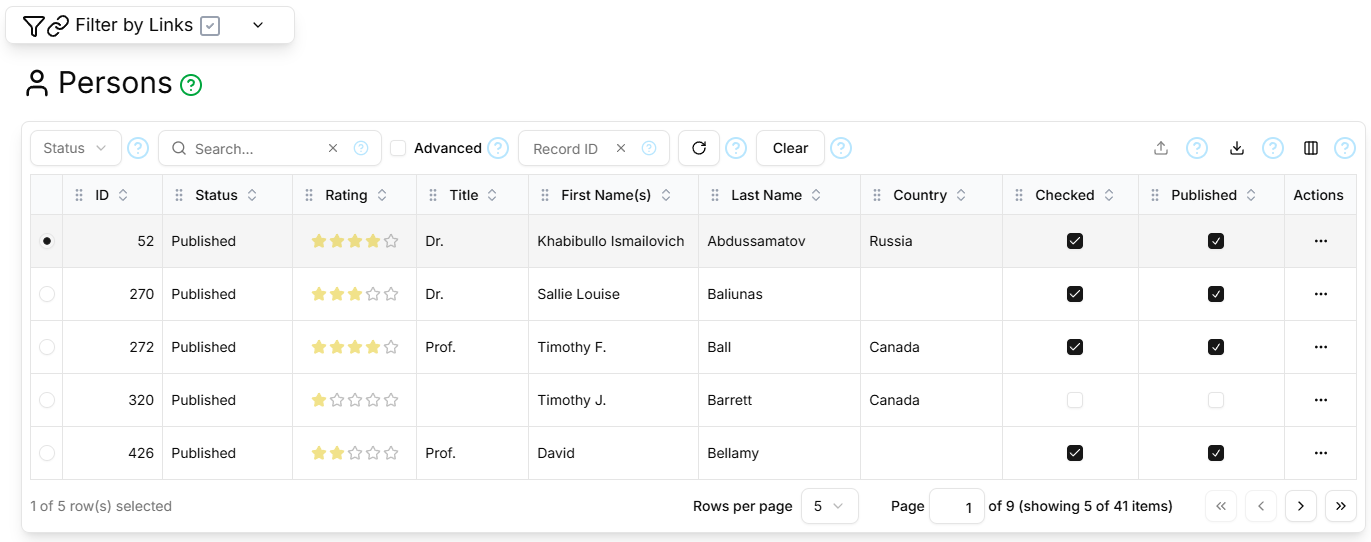
The Persons page contains a paginated, filterable, sortable table showing all Persons.
Filter Sections
The filter section at the top of the page is the standard Topic and Master Record filter as described here.
The table filter section contains the standard Status, Search, Advanced, Record ID, Refresh and Clear controls as described here.
Columns
The Persons Page table supports the standard ID, Status, Rating, Created, Created By, Updated, Updated By columns as described here, and additionally:
| Field | Type | Visible by Default | Description |
|---|---|---|---|
| Title | Text | Yes | The person's formal honorific title (Dr., Prof., Sir, etc.), with periods for abbreviations |
| First Name(s) | Text | Yes | The person's given forename(s) or initials |
| Nickname | Text | No | The person's informal nickname |
| Prefix | Text | No | The prefix to the person's surname (de, van, zu, etc.) |
| Last Name | Text | Yes | The person's surname/family name, excluding any prefix or suffix |
| Suffix | Text | No | The suffix to the person's surname (Jnr, Snr, III, etc.) |
| Alias | Text | No | An alternative name by which the person is also known; distinct from Nickname |
| Notes | Text | No | Biographical and other notes about the person |
| Qualifications | Text | No | The person's formal academic qualifications, including degree, subject, graduation year and academic institution. Degree abbreviations should include periods but no spaces (e.g., B.A., M.Sc., Ph.D., etc.) |
| Country | String | Yes | The country with which the person is primarily associated |
| Checked | Yes/No | Yes | Whether the person's details and credentials have been checked |
| Published | Yes/No/Unknown | Yes | Whether the person has authored peer-reviewed publications |
Paginator
The Persons Page table is paginated, as described here.
Details Section
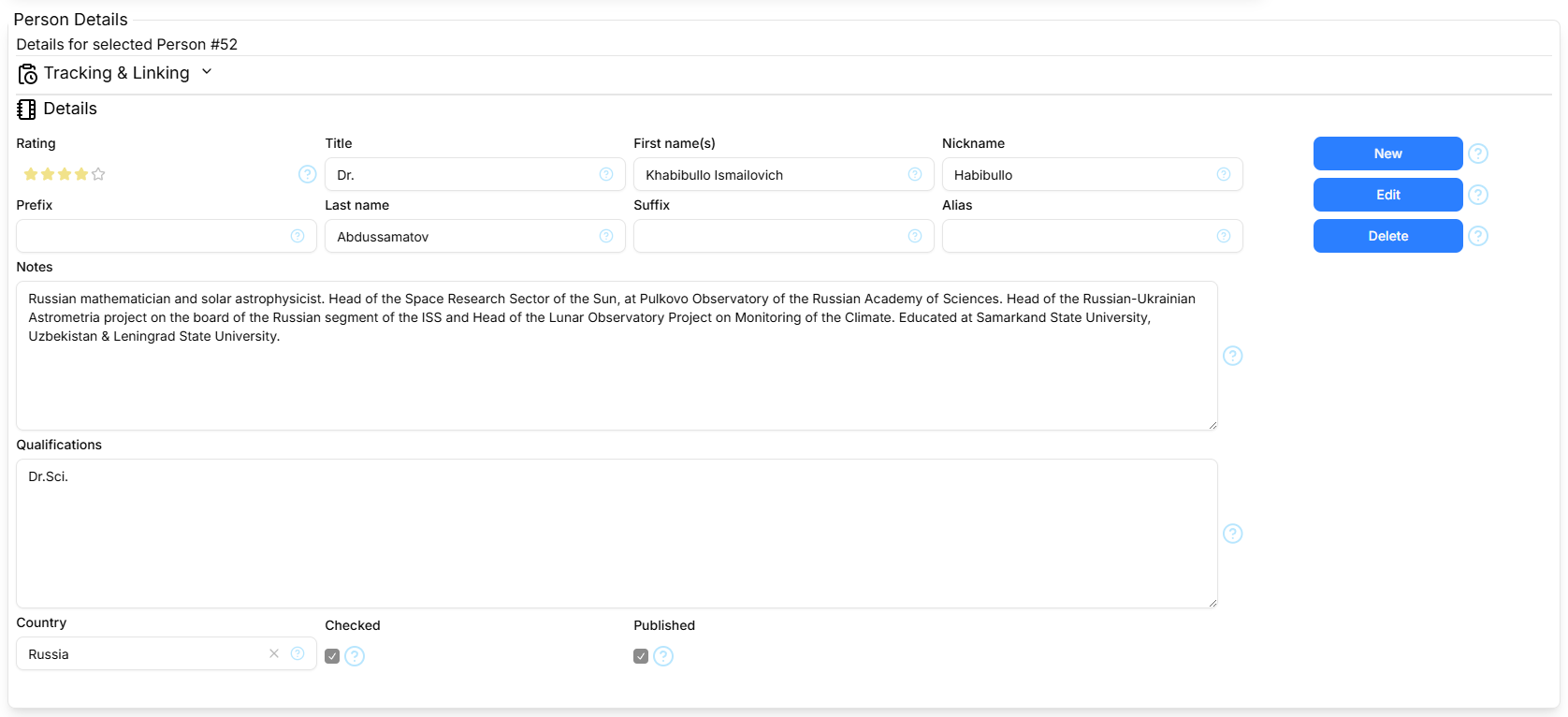
The Details section contains the standard Tracking and Linking parts as described here, and the Person Details form shows the following fields: Rating, Title, First Name(s), Nickname, Prefix, Last Name, Suffix, Alias, Notes, Qualifications, Country, Checked, Published, as described above.
The Details section contains the standard New/Cancel, Edit/Save and Delete command buttons as described here.