

Screen Layout
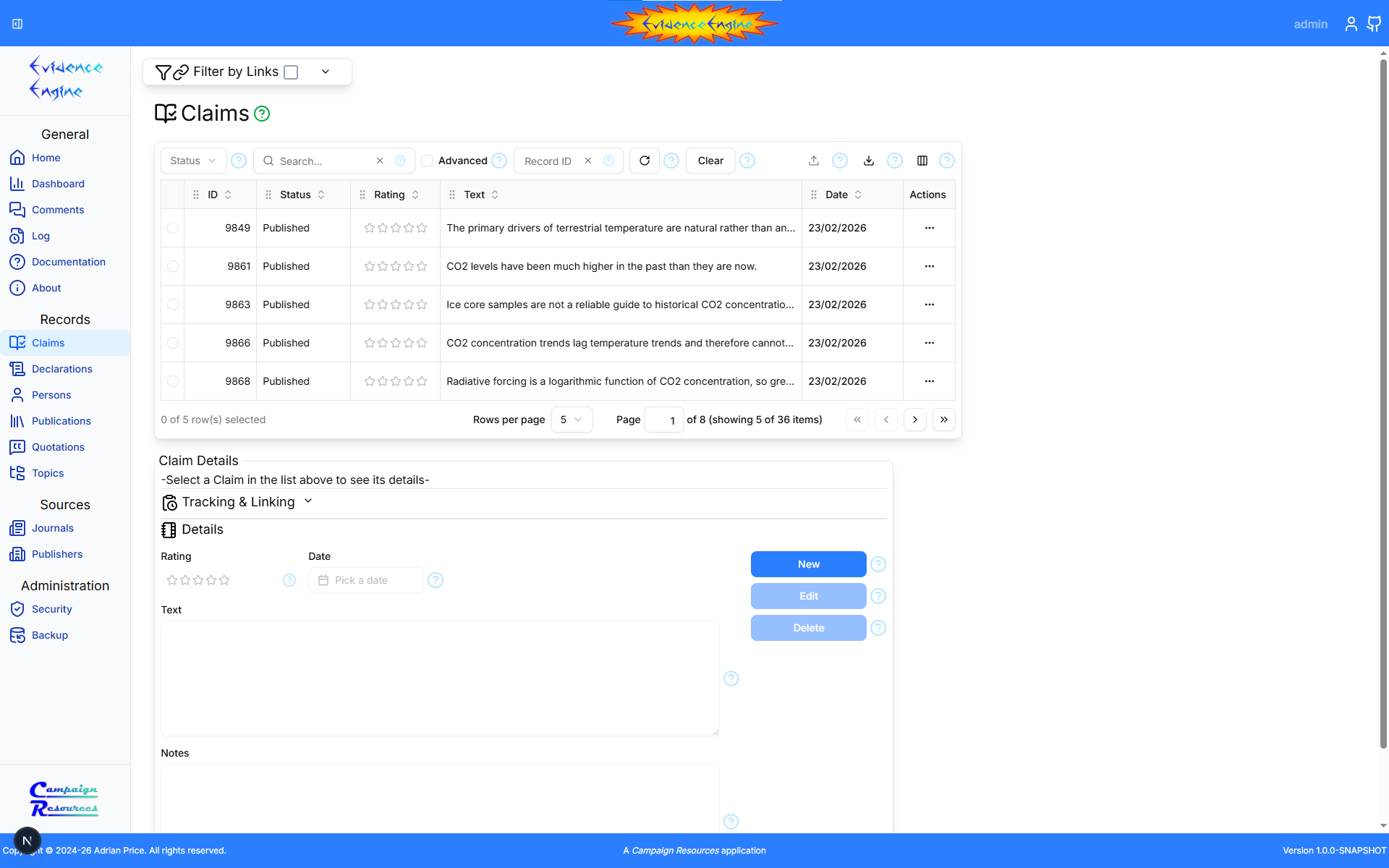
Address Bar
The browser's address bar shows the URL (Uniform Resource Locator) of the current page, including any filter settings. You can bookmark and share the page URL to enable others to view the information in the same way.Header
The page header contains several items:Sidebar Toggle
This button controls the visibility of the Navigator (side bar).Sign In / Username
This button triggers the 'Sign-in' dialog, or if you are already signed in, displays your username.My Account
This icon triggers the 'My Account' menu, containing the following items: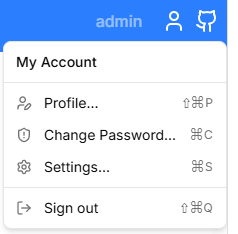
- Profile...
- Displays the Profile Dialog
- Change Password...
- Displays the Password Dialog
- Settings...
- Displays the Settings Dialog
- Sign out
- Signs out of the system and continues unauthenticated
GitHub Source Link
This link displays the GitHub Evidence Engine project page containing the source code.Footer
The footer contains a copyright message, a link to the parent Campaign Resources website, and the Evidence Engine version.Navigator
The Navigator presents a list of clickable links to pages within the Evidence Engine application.Home Link
The Evidence Engine logo, linked to the Home page.Page Links
Links to various pages in the application.Campaign Resources Link
A link to the parent Campaign Resources website.Page Title
Every page has a title at the top ('Claims' in the example shown), followed by a context help icon button. Clicking the button opens the documentation for the current page in another browser tab that is reused for subsequent help requests.
Master Filter
The master filter section is described here.
Table
The table section is described here.
Details
The details section is described here.