


Journals Page
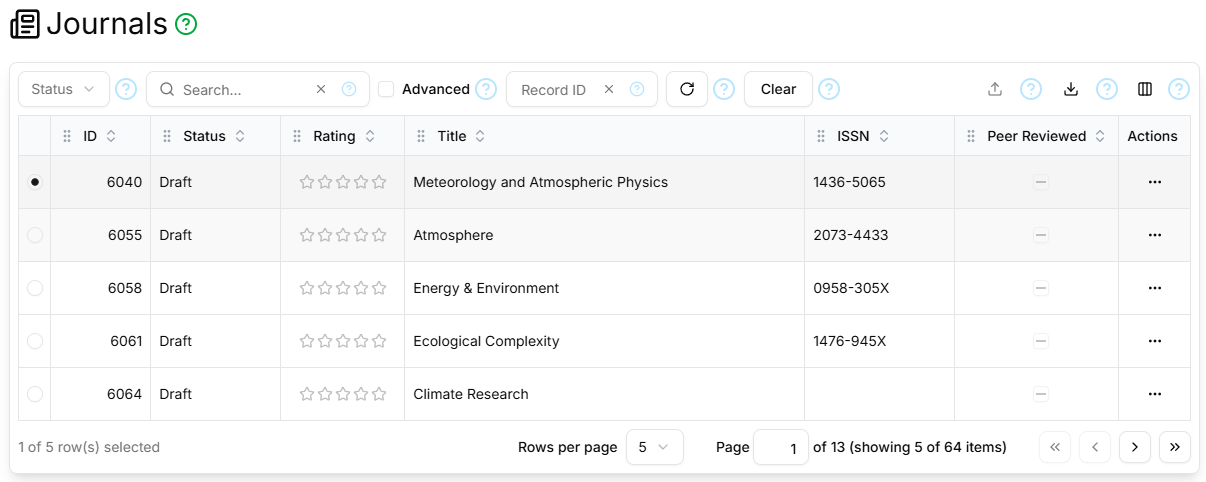
The Journals page contains a paginated, filterable, sortable table showing all Journals.
Filter Section
The table filter section contains the standard Status, Search, Advanced, Record ID, Refresh and Clear controls as described here.
Columns
The Journals Page table supports the standard ID, Status, Rating, Created, Created By, Updated, Updated By columns as described here, and additionally:
| Field | Type | Visible by Default | Description |
|---|---|---|---|
| Peer Reviewed | Yes/No/Unknown | Yes | Whether the Journal publishes peer-reviewed articles |
| Title | Text | Yes | The journal's official name or title |
| Abbreviation | Text | No | The ISO 4 journal title abbreviation, with full stops after LTWA-abbreviated words |
| ISSN | Text | Yes | The International Standard Serial Number (ISSN) |
| Publisher | Reference | No | The publisher of the journal |
| URL | URL | No | The journals's online web address |
| Notes | Text | No | Free-form contributor notes about the journal |
Paginator
The Journals Page table is paginated, as described here.
Details Section
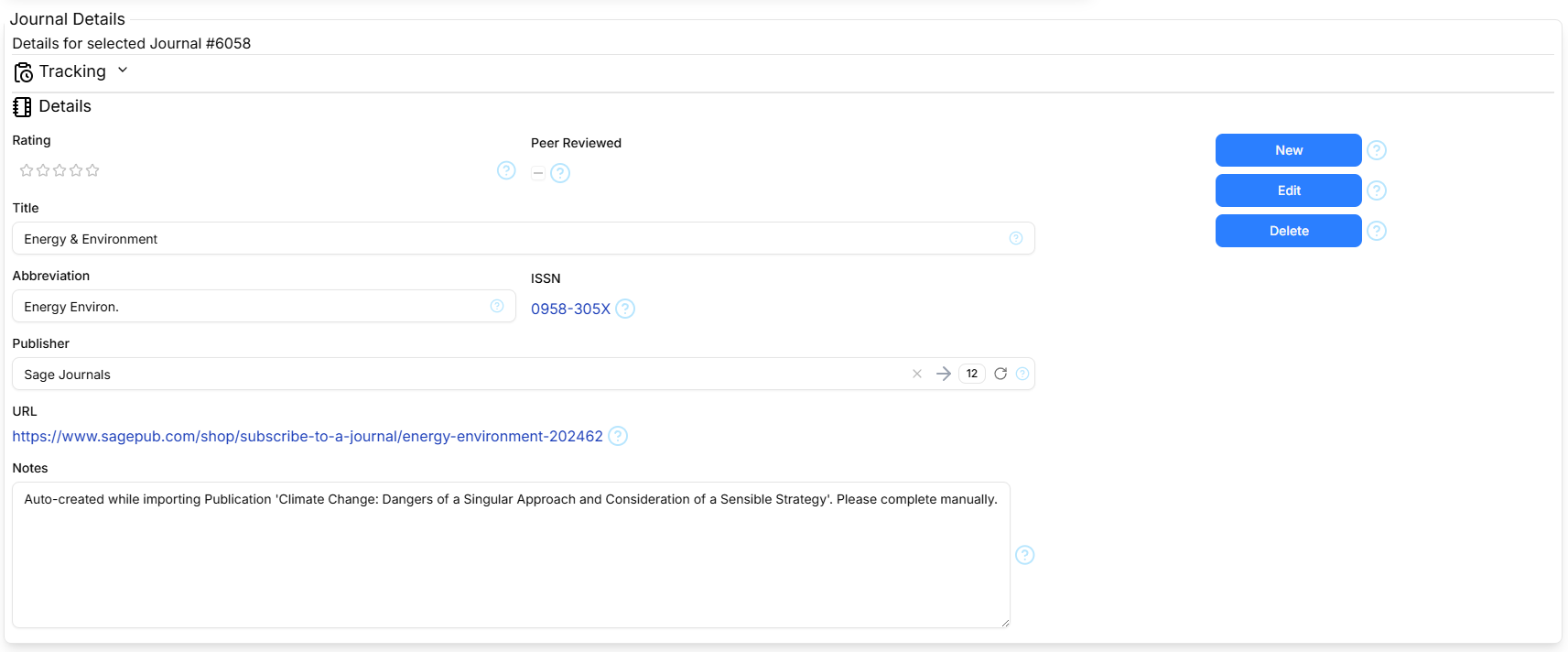
The Details section contains the standard Tracking part as described here, and the Journal Details form shows the following fields: Peer Reviewed, Title, Abbreviation, ISSN, Publisher, URL, Notes as described in Columns above.
The Details section contains the standard New/Cancel, Edit/Save and Delete command buttons as described here.