

Topics Page
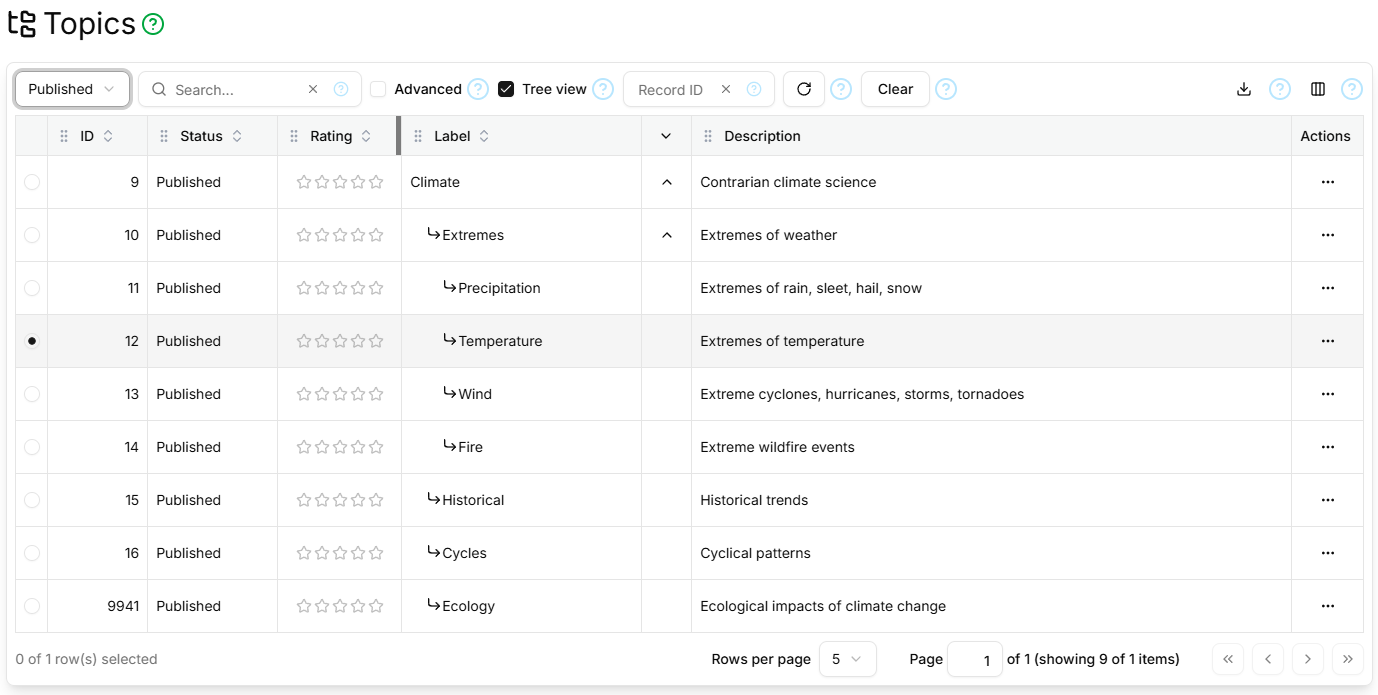
The Topics page contains a paginated, filterable, sortable table showing all Topics.
Filter Section
The table filter section contains the standard Status, Search, Advanced, Record ID, Refresh and Clear controls as described here, and additionally:
- Tree View
- Toggles between a flat Topics list and a hierarchical list where Topics are expandable to reveal their sub-Topics, with labels indented as in the screen-shot above.
Columns
The Topics Page table supports the standard ID, Status, Rating, Created, Created By, Updated, Updated By columns as described here, and additionally:
| Field | Type | Visible by Default | Description |
|---|---|---|---|
| Label | Text | Yes | The short topic label |
| Description | Text | Yes | The long topic description |
Paginator
The Topics Page table is paginated, as described here.
Details Section
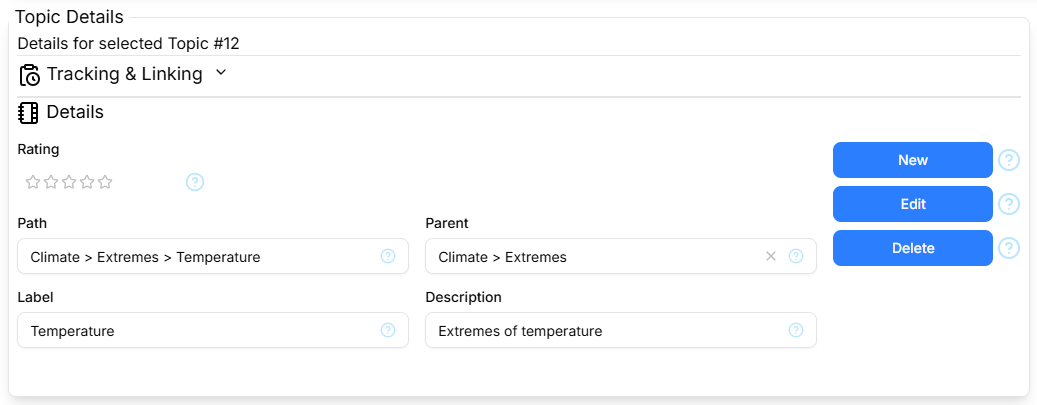
The Details section contains the standard Tracking and Linking parts as described here, and the Topic Details form shows the following fields:
- Path
- Shows labels from the 'ancestor-self axis' as a breadcrumb trail
- Parent
- Shows/changes the parent Topic
along with Rating, Label and Description, as described in Columns above.
The Details section contains the standard New/Cancel, Edit/Save and Delete command buttons as described here.